建筑空间场景图
插画与艺术类生图案例。风格/场景:界面,角色,科技,旅行,叙事。实现方式为单步骤:直接使用提示词由 GPT-Image-2 生成,效果见效果图。案例来源:@loilokoji https://x.com/loilokoji
效果预览
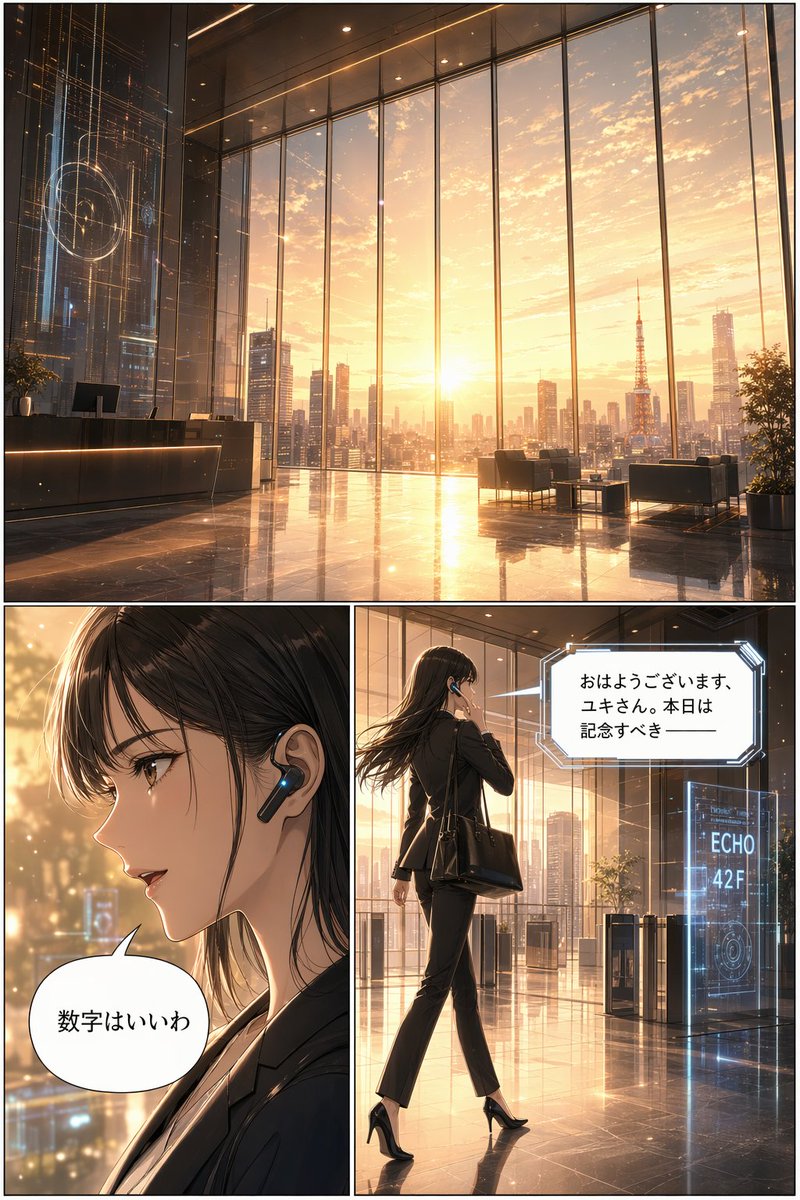
提示词与做法(可直接复制)
1. AI 直接生成
使用 GPT-Image-2 按提示词直接生成
{
  "type": "3-panel manga page",
  "style": "anime, highly detailed, cinematic lighting, futuristic corporate",
  "layout": {
    "structure": "1 wide top panel, 2 square bottom panels"
  },
  "panels": [
    {
      "position": "top",
      "shot": "wide landscape",
      "scene": "Futuristic corporate lobby with floor-to-ceiling windows",
      "lighting": "{argument name=\"time of day\" default=\"sunrise\"}",
      "background": "City skyline featuring {argument name=\"landmark\" default=\"Tokyo Tower\"}",
      "details": "Holographic displays, polished reflective floor, reception desk, lounge chairs"
    },
    {
      "position": "bottom left",
      "shot": "close-up profile",
      "character": "Young woman, dark hair, black business suit",
      "accessories": "Futuristic black earpiece with glowing blue light",
      "speech_bubble": {
        "style": "standard rounded",
        "text": "{argument name=\"character dialogue\" default=\"数字はいいわ\"}"
      }
    },
    {
      "position": "bottom right",
      "shot": "full body, walking away, touching earpiece",
      "character": "Same woman, black suit, black heels, carrying a black tote bag",
      "environment": "Approaching security gates",
      "holographic_sign": "{argument name=\"floor sign\" default=\"ECHO 42F\"}",
      "speech_bubble": {
        "style": "futuristic angular",
        "text": "{argument name=\"AI dialogue\" default=\"おはようございます、ユキさん。本日は記念すべき ──\"}"
      }
    }
  ]
}
生成结果见效果展示
使用模型:OpenAI GPT-Image-2
适用模型:OpenAI GPT-Image-2