人物角色设定图
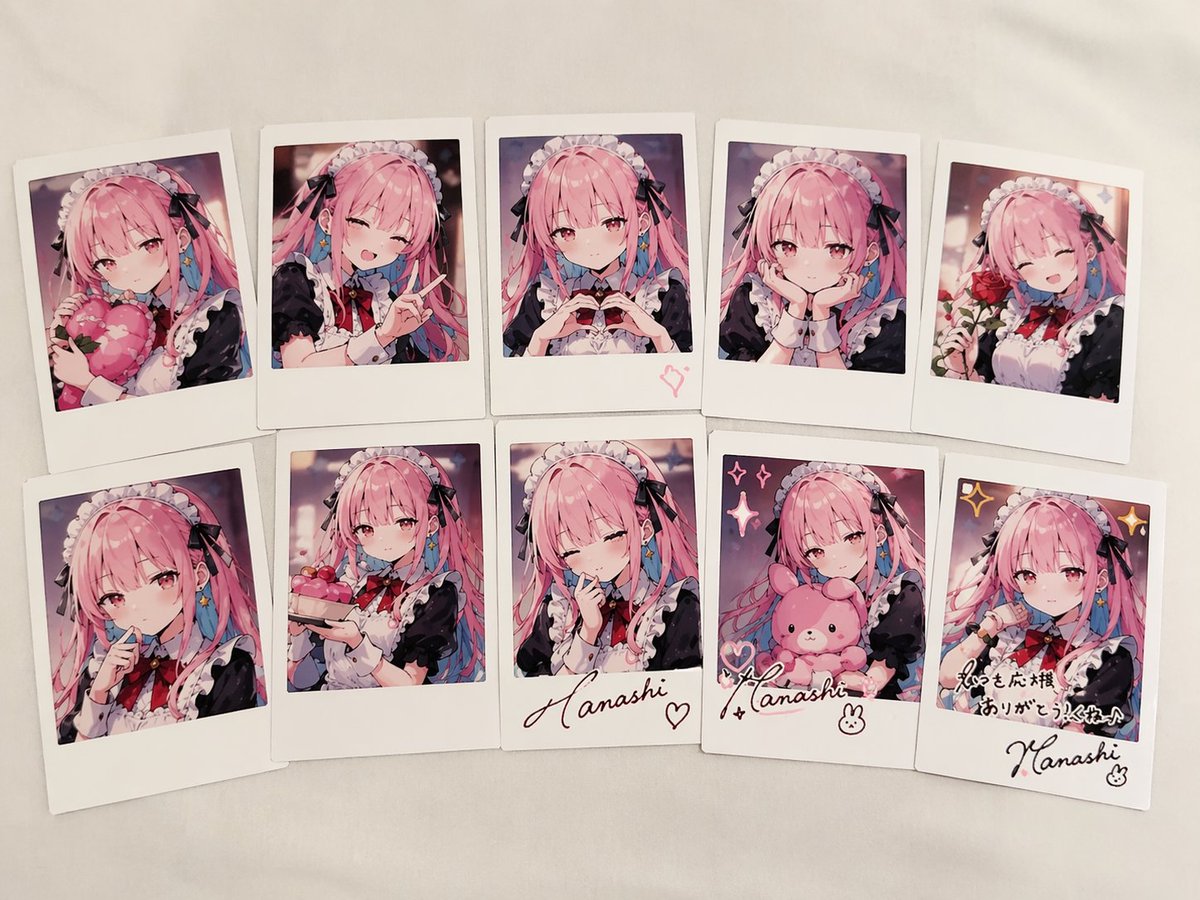
人物与角色类生图案例。风格/场景:写实,角色,科技,商业。实现方式为单步骤:直接使用提示词由 GPT-Image-2 生成,效果见效果图。案例来源:@anemone_sd https://x.com/anemone_sd
效果预览
提示词与做法(可直接复制)
1. AI 直接生成
使用 GPT-Image-2 按提示词直接生成
{
  "type": "collection of instant photos",
  "setting": "laid out flat on a white fabric surface",
  "character": {
    "hair": "{argument name=\"hair color\" default=\"long pink hair with blue inner color\"}",
    "outfit": "{argument name=\"outfit\" default=\"black and white maid uniform with frilly headband and black ribbons\"}",
    "eyes": "reddish-pink"
  },
  "layout": {
    "arrangement": "two rows of five polaroid photos",
    "count": 10,
    "photos": [
      { "position": "top row 1", "description": "holding a pink heart cushion" },
      { "position": "top row 2", "description": "winking, making a peace sign" },
      { "position": "top row 3", "description": "making a hand heart, pink heart doodle on the bottom border" },
      { "position": "top row 4", "description": "resting chin on hands, gentle smile" },
      { "position": "top row 5", "description": "holding a red rose, winking" },
      { "position": "bottom row 1", "description": "finger to lips, shy expression" },
      { "position": "bottom row 2", "description": "holding a small pink cake" },
      { "position": "bottom row 3", "description": "winking, hand near face, signature '{argument name=\"signature text\" default=\"Hanashi\"}' and heart doodle on border" },
      { "position": "bottom row 4", "description": "holding a pink bunny plushie, sparkle doodles, signature '{argument name=\"signature text\" default=\"Hanashi\"}' and bunny doodle on border" },
      { "position": "bottom row 5", "description": "winking, sparkle doodles, message '{argument name=\"message text\" default=\"いつも応援ありがとう!これからもよろしくね♪\"}' and signature '{argument name=\"signature text\" default=\"Hanashi\"}' on border" }
    ]
  }
}
生成结果见效果展示
使用模型:OpenAI GPT-Image-2
适用模型:OpenAI GPT-Image-2